You're in the garden, and there it is—a creature you've never seen before. Is it a friend or a foe? A harmless pollinator or a leaf-munching pest? That moment of curiosity, mixed with a pinch of worry, is where the journey of insect identification begins. For years, I relied on blurry photos sent to my entomologist friends, a process as slow as watching a caterpillar metamorphose. Today, with a smartphone in your pocket, you can go from mystery bug to confirmed identity in minutes. But not all insect identifier methods are created equal, and getting it wrong can lead you down a frustrating path. This guide cuts through the noise, showing you the exact steps, tools, and insider tricks to accurately name that bug.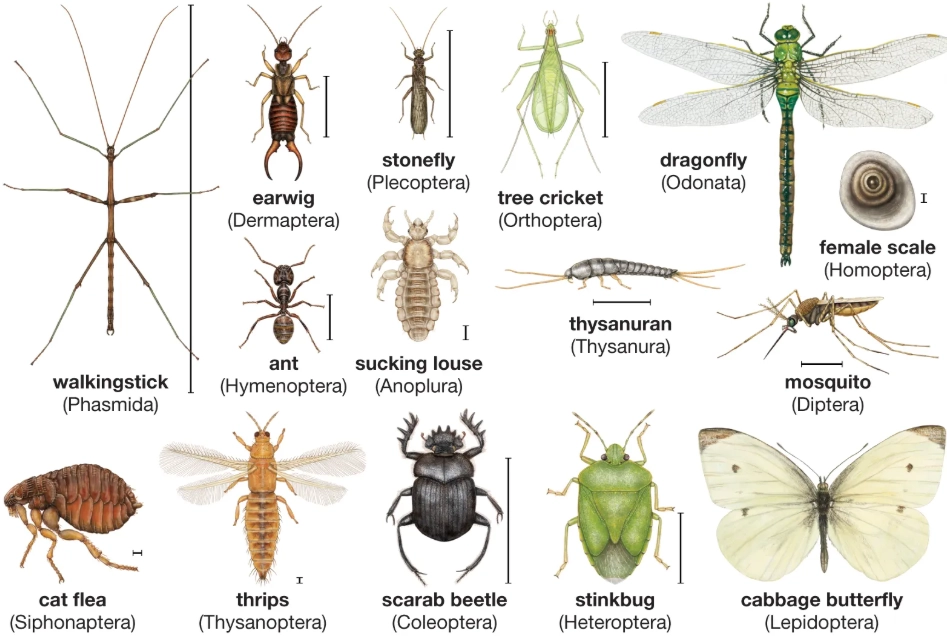
Quick Navigation: Find Your Bug ID Path
- The 5-Step Core Process for Reliable Bug ID
- Insect Identifier App Showdown: Which One Actually Works?
- Old-School Skills: When to Use Manual Identification Methods
- The Single Biggest Mistake Beginners Make (And How to Avoid It)
- A Real-World Scenario: Identifying a Mysterious Garden Larva
- Your Burning Insect ID Questions, Answered
The 5-Step Core Process for Reliable Bug ID
Forget randomly snapping a picture. A systematic approach turns a guess into a confident identification. Here’s the workflow I use every time.
Step 1: The Art of the Observation
Before you even touch your phone, look. Really look. I see so many people miss crucial details because they're in a hurry.
Size & Shape: Compare it to something common. Is it grain-of-rice small, pea-sized, or as big as your thumb? Is its body long and thin, round and bulky, or flat?
Color & Markings: Note the primary color, but more importantly, look for patterns. Stripes, spots, bands, or metallic sheen? Are the markings on the wings, thorax, or abdomen?
Behavior: This is a huge clue. Is it flying erratically or in a straight line? Crawling quickly or playing dead? Solitary or in a group? Chewing on a leaf or sipping nectar?
Step 2: Capturing the Perfect ID Photo
This is where most attempts fail. A single blurry shot from above won't cut it. You need a multi-angle portfolio.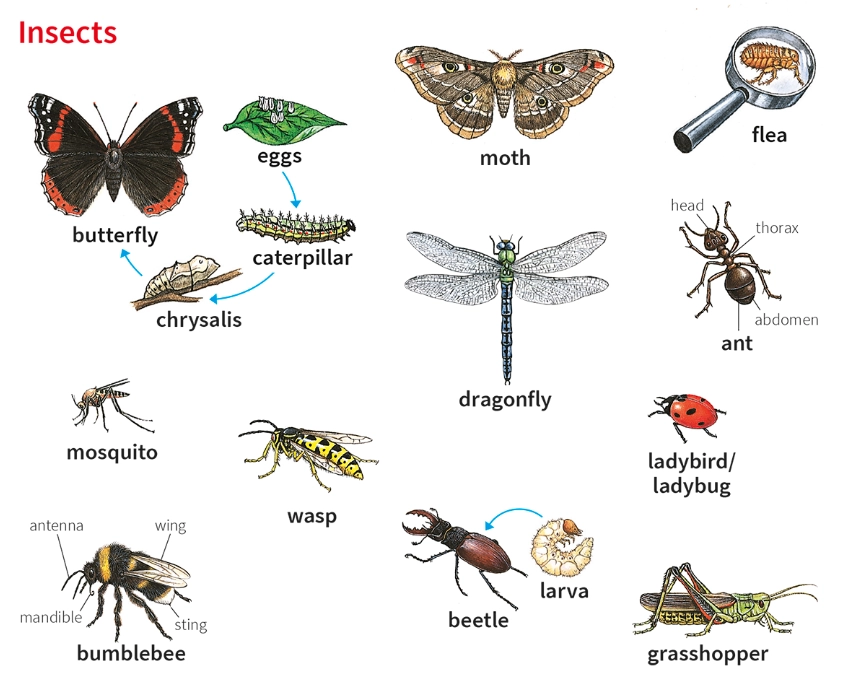
Take at least three photos: one from above (dorsal view), one from the side (lateral view), and a close-up of the head/face if possible. Good lighting is non-negotiable—use your phone's flash or move into the sun.
Step 3: Choosing Your Identification Tool
Now you decide your path: instant AI app or detailed manual key. Your choice depends on your goal. Need a fast answer for a common bug? Use an app. Dealing with a rare or damaged specimen, or want to learn the *why* behind the ID? Go manual. We'll dive deep into both.
Step 4: Analyzing the Results (The Skeptical Phase)
An app spits out a name and a 95% confidence score. Don't stop there. Cross-reference. Does the photo in the app's result gallery exactly match your bug's markings and proportions? Read the description. Does the listed habitat and behavior match where and how you found it? Blind trust in the first result is the fast track to misidentification.
Step 5: The "Now What?" Decision
Identification is a means to an end. The real question is: what does this ID mean for you?
Beneficial Insect (e.g., ladybug larva, lacewing, solitary bee): Celebrate! Leave it alone or create a more welcoming habitat.
Generalist Pollinator/Decomposer (e.g., many flies, beetles): Usually harmless. Let it be.
Plant Pest (e.g., aphids, cabbage worms, Japanese beetles): Now you can research specific, targeted control methods instead of spraying broadly.
Potential Health Concern (e.g., tick, biting fly, wasp nest): Take appropriate, informed precautions.
Insect Identifier App Showdown: Which One Actually Works?
The app store is flooded with options. I've tested the major players on hundreds of bugs in my own backyard and on hikes. Here’s the unvarnished comparison.
| App Name | Best For | How It Works | Biggest Strength | Notable Weakness |
|---|---|---|---|---|
| iNaturalist | Learners & community validation | AI suggests ID, then real human experts confirm. | Unbeatable accuracy once the community weighs in. Contributes to real science. | ID confirmation can take hours or days. Not for instant answers. |
| Seek by iNaturalist | Instant, family-friendly ID | Pure AI, gives results in real-time through your camera. | Fantastic for engaging kids. No registration needed. Works offline. | AI can be less accurate than the main iNaturalist app, especially for larvae. |
| Picture Insect | Quick ID of common pests & bugs | AI analyzes uploaded photos, provides detailed fact sheets. | Very fast. Fact sheets include pest control tips and biology. | Heavy push for premium subscription. Can mis-ID rare species. |
| Google Lens | The "already on your phone" option | General visual search AI repurposed for nature. | Convenient if it's already installed. Sometimes surprisingly good. | Inconsistent. May return images of toys or jewelry if the bug is unusual. |
My personal workflow? I start with Seek for an instant guess. If I'm skeptical or it's something interesting, I upload the photos to the full iNaturalist app and let the community work its magic. For common garden pests, Picture Insect's fact sheets are handy.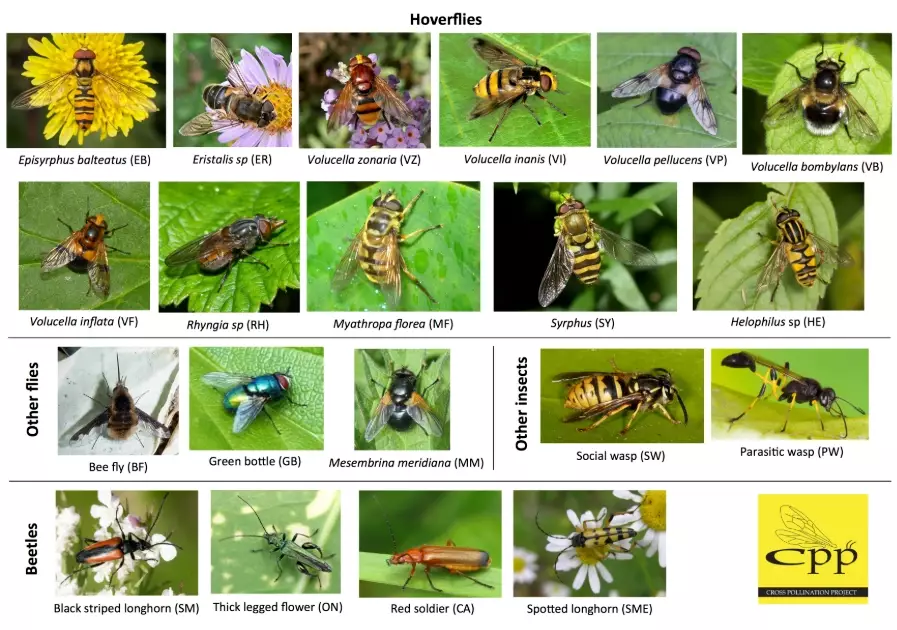
Old-School Skills: When to Use Manual Identification Methods
Apps have limits. They struggle with larvae, nymphs, damaged specimens, or truly obscure insects. This is where traditional methods shine. They teach you the morphology—the physical structures—that define an order or family.
Start with a simple key question: How many wings does it have? Two pairs (likely beetles, true bugs, butterflies) or one pair (flies, mosquitoes)? Does it have wings at all?
Next, look at the mouthparts. Chewing mandibles (beetles, caterpillars) or a piercing-sucking beak (aphids, cicadas)?
Bookmark these free, authoritative online resources. They're like the library reference section for bugs:
BugGuide.Net: A massive, image-rich database curated by entomologists. You can browse by order, family, or even post your own photo for help from experts. It's my go-to for North American insects.
InsectIdentification.org: Excellent filterable database. You can select your state, the bug's color, number of legs, and other attributes to narrow it down.
Your State's University Extension Service Website: Search for "[Your State] extension insect identification." These sites, like those from University of Minnesota Extension or Penn State Extension, provide region-specific guides focused on agricultural and garden pests. The information is hyper-local and practical.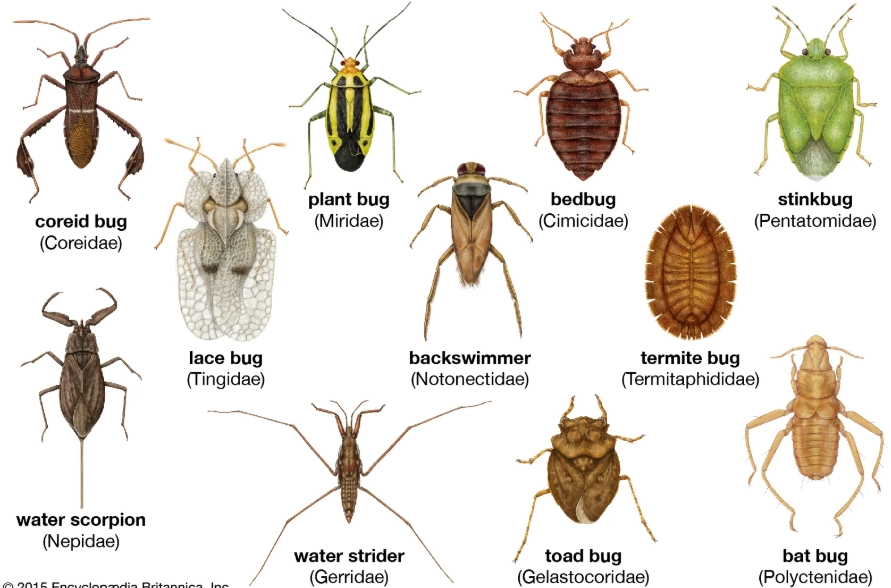
The Single Biggest Mistake Beginners Make (And How to Avoid It)
It's not about using the wrong app. It's about submitting a single, poor-quality photo and accepting the first result without question.
The AI in these apps is trained on millions of images, but it's still pattern-matching. If you submit a fuzzy picture of a dark-colored beetle from three feet away, the AI might match the general "blob" shape to a common ladybug. You'll get a confident, wrong answer.
The fix is the two-step verification I mentioned earlier. Use the app's suggestion as a starting hypothesis, not a final verdict. Open the fact sheet or gallery for that suggested insect. Compare every detail. If your beetle has distinct ridges on its wing covers (elytra) and the suggested ladybug image is smooth, it's a mismatch. Go back, try a different angle, or switch to a manual key.
This skeptical approach saves you from misidentifying a beneficial ground beetle as a pest, or worse, a harmless hoverfly (which cannot sting) for a yellowjacket.
A Real-World Scenario: Identifying a Mysterious Garden Larva
Let's walk through a real case from last summer. I found a fat, green, spiny caterpillar munching on my dill. Here was my process:
Observation: About 1.5 inches long. Bright green with black bands and yellow spots. Distinct, fleshy spines. Found on a dill plant (a member of the carrot/parsley family).
Photo Session: I took a clear top-down shot showing the bands and spines, a side profile, and a close-up of its head. The background was the green dill leaves.
App Attempt: I opened Seek and pointed the camera. It suggested "Swallowtail Butterfly Larva" with 92% confidence. Good start.
Manual Verification: I went to BugGuide and searched "swallowtail caterpillar on dill." I immediately found images of the Black Swallowtail caterpillar. Bingo. Perfect match. The fact sheet confirmed their host plants are in the carrot family (Apiaceae).
The "Now What?": This was a desirable pollinator species in its adult stage. I left it alone to feast. A few weeks later, I had a beautiful Black Swallowtail butterfly in my garden. If I had misidentified it as a pest and removed it, I'd have lost that future pollinator.
This process—app suggestion followed by manual verification against trusted sources—is foolproof.
Your Burning Insect ID Questions, Answered
 How can I identify tiny insects that are too small for my phone camera to focus on?

Comments